

The AdSense plugin for b2evolution lets you embed AdSense blocks into your collection posts.
Usage
All you need to do is put the cursor where you want the AdSense block and click on the AdSense toolbar button. The plugin does the rest.
Additionally, the plugin will also make sure that you do not display too many AdSense blocks on your page. For example, you can set it to expand a maximum of 2 ad blocks in the blog posts and have a 3rd one reserved for your sidebar.
Plugin Settings
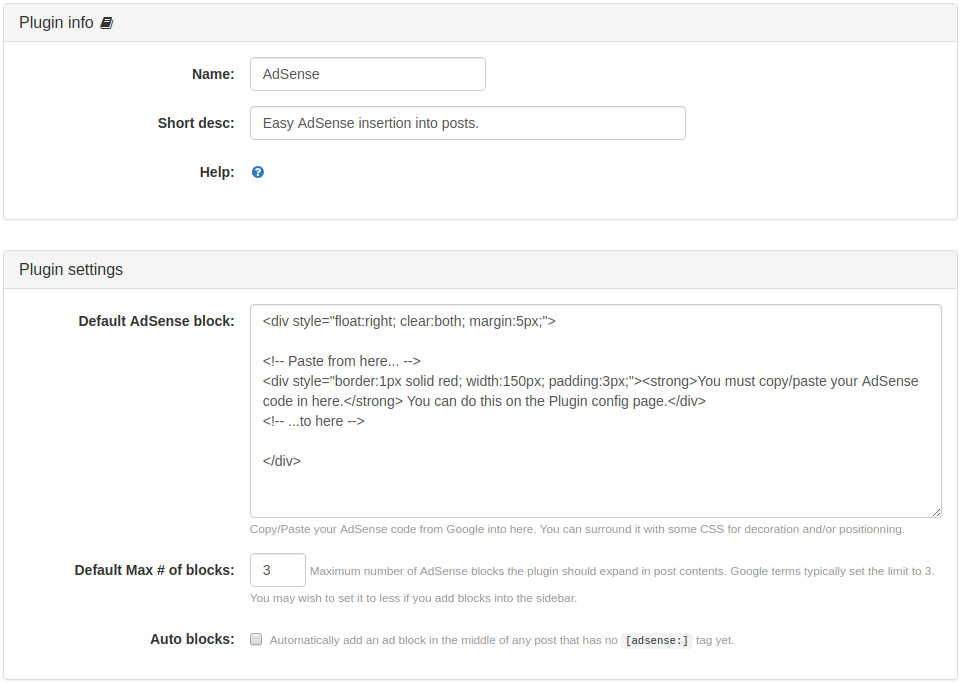
Section 1. Plugin info
Plugin specific information:
- Name
- Description
- Help link
Section 2. Plugin settings
- Default AdSense block: copy/paste your AdSense code from Google into here. You can surround it with some CSS for decoration and/or positioning.
- Default Max # of blocks: maximum number of AdSense blocks the plugin should expand in post contents. Google terms typically set the limit to 3. You may wish to set it to less if you add blocks into the sidebar.
- Auto blocks: check to automatically add an ad block in the middle of any post that has no
[adsense:]tag yet.
Per Collection Settings
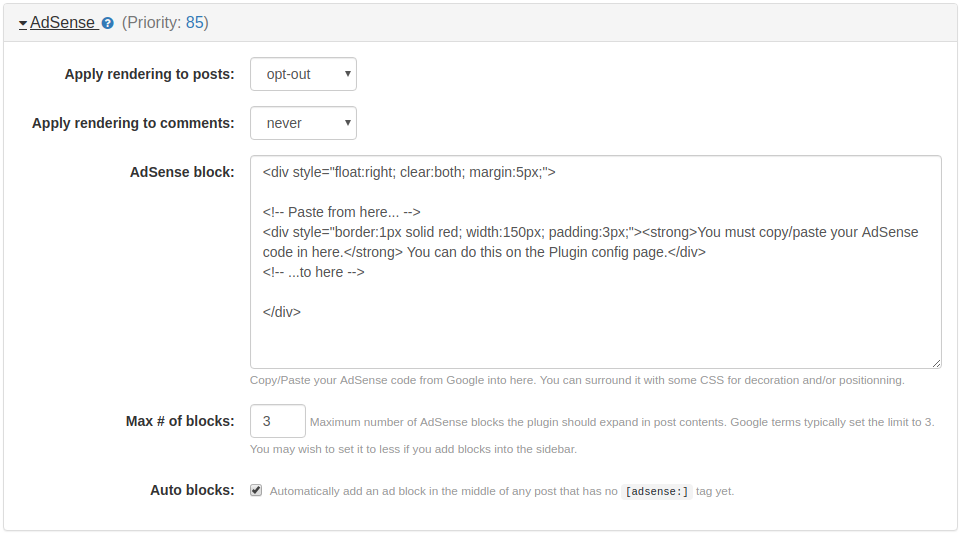
The per collection settings of the plugin contains almost the same options found in the default plugin settings above. You can customize the plugin's behavior on a per collection basis using these settings.
Inserting an AdSense block
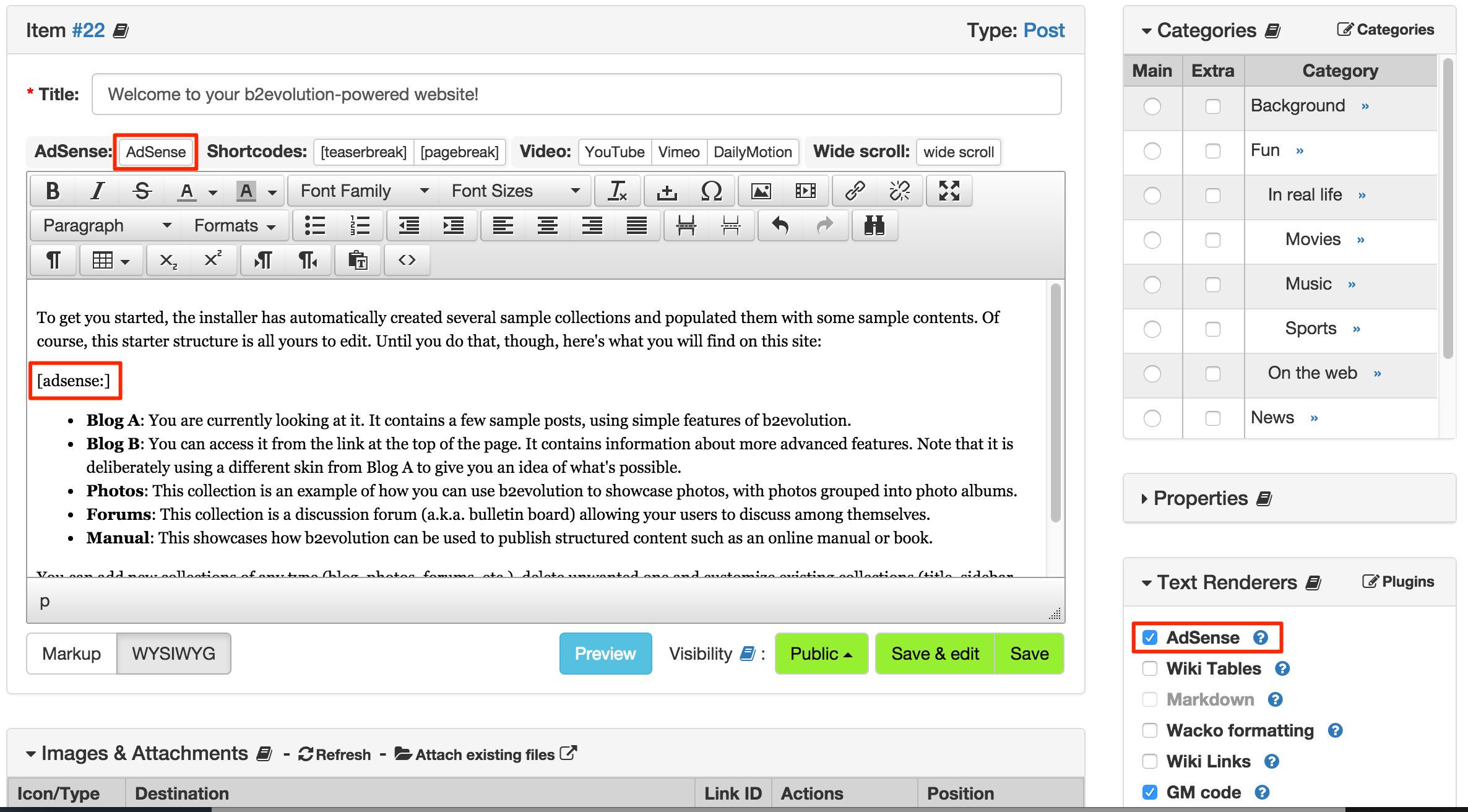
When editing a post in Expert Mode, you will see the "AdSense" button in the toolbar, just put the cursor where you want the ad to be inserted and hit this button.
If you do not have access to the button "AdSense" at the toolbar, just type [adsense:].
Remember to check the "AdSense" option at your post's "Text Renderers" block.
Mini FAQs
My post shows [adsense:] instead of the AdSense block I've installed. How do I fix this?
First, try to add AdSense to a new blog post. That should be very easy.
For older posts, you will have to switch to the Expert post-editing mode and manually enable the Adsense plugin renderer in the Text Renders section at the bottom right of the screen.
How do I integrate AdSense into my sidebar / header / footer?
You just copy/paste the AdSense code from Google into a Free HTML Widget.
More information about adding widgets to your Collection here.